Friday, 27 November 2015

Cinematography Development

Pan:

Panning is a camera movement technique that involves moving the camera horizontally to the right or left. This technique is usually used to track an object or follow a type of movement.

Dolly Shot:

The Dolly shot is a tracking shot that is done when the camera is mounted onto a dolly. A dolly is a wheeled platform that is pushed on rails while the picture is being taken.

Tracking Shot:

A tracking shot is when a camera follows a person or object by physically moving with the subject. This can be done using tracks, handheld, ropes, steady-cam etc.

Tilt:

This is a technique in which the camera stays stationary and rotates in a vertical plane.

Hand held:

Hand-held camera is a technique in which the camera is held in the camera operators hands as opposed to being mounted on a tripod.

High Angle Shot:

This is where the camera looks down on the subject from a high angle and the point of focus often gets 'swallowed up'. They can be used to make the subject look vulnerable or powerless.

Low Angle Shot:

This is a shot where the camera is positioned low on a vertical axis. The effect of this angle is to make the subject look strong and powerful

Establishing Shot:

An establishing shot is usually the first shot of a new scene. It is designed to show the audience where the action is about to take place. It is usually a very wide shot or an extreme wide shot.

Close-up:

This tightly frames a person or an object. Close-ups are used to display the most detail but they don't include the broader scene.

Extreme close up:

An extreme close-up shows the audience an object or person differently to how they usually see them. It brings attention to the subject and makes them more memorable visually. They can be used to show someones emotions if they need bringing to the audiences attention.

Pull Focus:

The pull focus is a technique in which the focus can be changed during a shot. This means that it adjusts from one subject to another.

Shot/Reverse Shot:

This is used to show one character looking at another character, and then the other character is shown looking at the first character.

Match on Action:

This is a technique that is used to edit from one shot to another by matching their actions.

Graphic Match:

This is a cut between two different objects, two different spaces, or two different composition in which the two shots graphically match. This is often used to establish continuity of action and linking two shots metaphorically.

Eye-line Match:

This is used to show a character and what they are looking at. It begins with a character looking at something off-screen, followed by a cut to the object or person they are looking at.

POV:

A point of view shot shows what a character is looking at through their eyes rather than the camera facing the character

Cut Away:

A cut away is the interruption of a continuously filmed action by inserting a view of something else.

Montage Sequence:

A montage sequence is a series of short shots that are edited into a sequence to condense space, time and information.


Wednesday, 25 November 2015

Background ideas for my music video

The background that I used in my practice shots was just a wall. In order to make it look better, I need to make sets for the characters to stand in front of. To do this I am going to get some cardboard boxes and put backgrounds like these onto them. This will look better when I do my shots again.


This would be used for the line:
"Spent my evenings down at the drive-in
And that's when I met you, yeah"


This would be for the line: 
"Bought it at the five and dime"

This is for:
"Me and some guys from school
Had a band and we tried real hard.
Jimmy quiet, Jody got married
I should've known we'd never get far"


This is for: 
"Ain't no use in complainin'
When you've got a job to do"


This is for:
"Standin' on your mama's porch
You told me that you'd wait forever
Oh, and when you held my hand
I knew that it was now or never
Those were the best days of my life"

Apps for stop motion animation

I tried to do a stop frame animation by taking the pictures on my camera and editing them together myself. I found this made the movement of the Playmobil look really blocky and not like they were really moving at all. This was because I wasn't able to make the edits fast enough and fit all of them in in order for it to actually look like they were moving. So I had a look on the app store on my phone to see if there was an app I could use in order to make sure I use all the edits and that they look more fluent.

I tried the app Stop Motion. This app works by taking the photos individually then putting them together to make a moving image. 

I then tried the Lego movie app. This was better than the first one because I was able to make a video without having to pay for the features. This would be a good app to use because it works by taking all the photos individually and then putting them together to make a moving image.


This app is called iMotion. It works by videoing the character, pausing for me to move the character and then resuming for me to do it again. This is good because it actually looks like they characters are moving.


Conclusion:

I think the best app to use would probably be the Stop Motion app because it edits the pictures together. It is also really easy to use.

Monday, 23 November 2015

First attempt


To improve:


  • I need to make the shots before the stop frame more like a montage because at the moment they are too long
  • I need to take the stop frame images again with different backgrounds because I just did them against a wall. To do this I have printed off some images that I am going to stick on some cardboard boxes.
  • I need to make sure the camera is closer and not on a slight angle when I re-take them
  • I need to make sure the lighting is the same in all shots because I just used natural lighting which means the shadows have moved. To do this I could use a lamp so that the light stays in the same place.

Original Images:


In the band images, I tried to make it look like this. I made sure that they had guitars and clothing that are similar to the real band. This is so that the audience are able to recognise the genre of my music video. To make my images look even more like this, I need to adjust the lighting and add in my stage background.


To make the collages, I used https://ipiccy.com/


Saturday, 19 September 2015

Animatic Storyboard


Story board & Cast


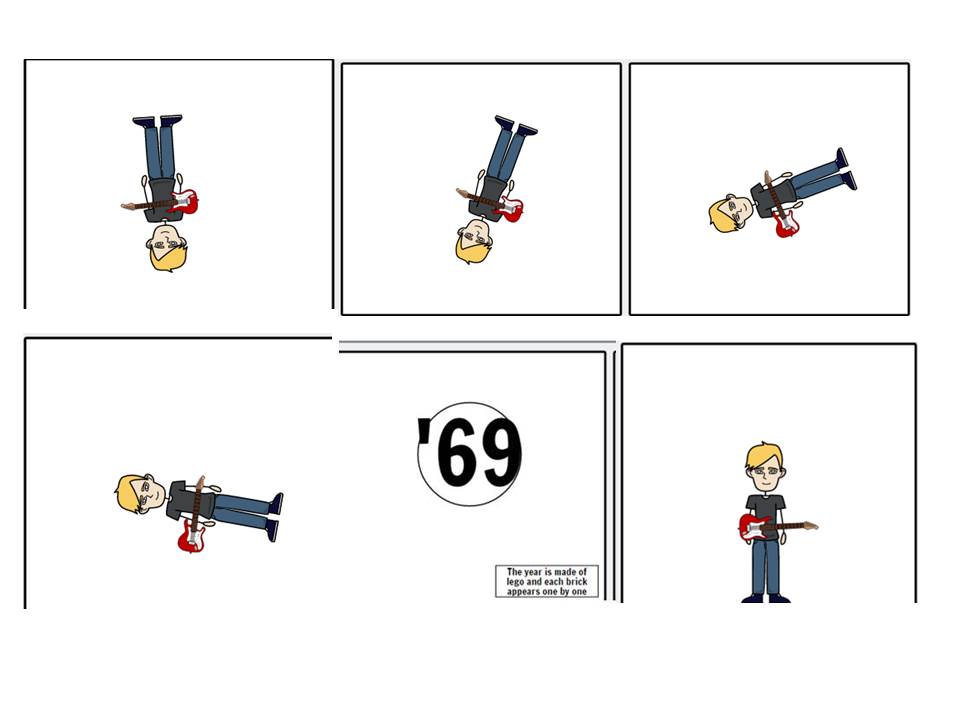
The edits at the beginning before the stop motion will be fast paced like a montage. The shots before the stop motion are to set up the narrative and explain why the stop motion is being made. The edits also need to be fast during the stop motion in order to make it look like the characters are moving fluently. I decided to use a montage edit to set up the video because I think it looks really good and gives the narrative more depth. An example of a music video that has montage editing before the music begins is 'She's Kinda Hot'- 5 Seconds of Summer


Another video by them that uses this technique is 'Hey Everybody'. Like my video, it has a montage before it that sets up the narrative to the video. However, this video has dialogue and a voice over. I have chosen not to do this as I didn't feel like my video needed this in order for it to make sense. I think the montage will make sense without sound. 


The stop frame animation is of a band containing 3 people. It shows them practicing and splitting up. It also shows the main character performing to a crowd. For the stop motion, I need to make sets for the characters to stand in front of because it will look better than them just being stood in front of a wall like they are in my practice shots.


I have chosen to do mine about a boy because there are a lot of videos that have children in them. Even though the videos have children in them, they still appeal to the target audience of 16-25 year olds. This is because it allows the audience to look back to when they were younger, this means that they might be able to relate to it because of similarities between their own childhoods and the ones portrayed in the videos.


Examples:


Questionnaire


These are the questions I have put into my questionnaire.
  1. Where do you listen to music and why?
  2. What radio stations, if any, do you listen to most and why?
  3. What do you enjoy about music videos?
  4. Does there need to be a narrative to a music video, why or why not?
  5. What age are most of the artists you listen to?
  6. Do you need to see the artist in the video, why or why not?
  7. What age are the people in the videos you watch?
  8. What themes do you expect to see in a music video and why?
  9. Do you expect a video to be serious or funny, why?
  10. What genres of music do you listen to?


Analysis:

Everyone gave very similar responses. This is because everyone who responded are similar ages therefore they have similar tastes in music. They all gave very similar answers because this is the music that they are able to listen to most. Radio stations and music channels play music that people request meaning they play the same songs. This is why people will have a similar taste in music. That is also why the age of the artists are similar because they will listen to similar artists to each other.